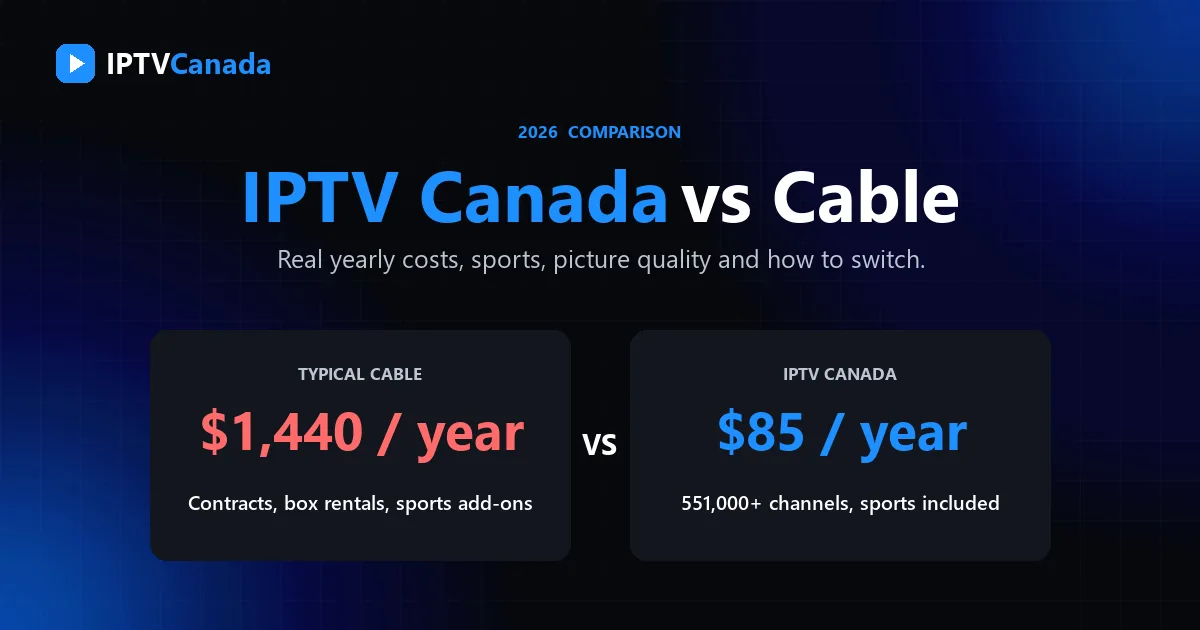
If you live in Canada, you know the feeling of opening your Bell, Rogers or Telus bill. We pay some of the highest prices in the world for TV and internet. The average cable package now tops $120 a month — often for channels you rarely watch and sports that are still blacked out half the time.
No wonder so many people are cutting the cord.
Where are they going? To IPTV (Internet Protocol Television). You’ve probably heard coworkers or neighbours talk about “the stick” or “the box” that gets them their channels for a fraction of the price.
But there are real questions. Is IPTV legal in Canada? Which box should you buy? And why does it buffer at 8 p.m.?
This guide answers all of it: the law, the hardware, the apps and the tricks for a smooth, buffer-free experience with a provider like IPTV Canada.
Chapter 1: What Is IPTV, and Why Is Canada Switching?
IPTV stands for Internet Protocol Television. Cable sends signals through wires in the ground; satellite beams them from space. IPTV sends live TV through your internet connection.
If you watch YouTube or Netflix, you already use internet video. IPTV applies that to live channels like CBC, TSN, Sportsnet and CNN.
Why Canadians Are Adopting It So Fast
- Limited competition: the “Big Three” (Bell, Rogers, Telus) dominate, and prices reflect that.
- Sports blackouts: you can pay for Sportsnet and still miss the Leafs or Canucks because of where you live.
- Cost of living: with groceries and housing where they are, saving $100 a month on TV really matters.
Chapter 2: Is IPTV Legal in Canada?
The question we hear most: “Am I going to get in trouble for using IPTV?”
The Technology vs the Content
IPTV as a technology is legal — Canada’s biggest telecoms use it every day. The legal question is about the content: does the provider have the rights to what it streams?
- Distributors: running or selling a service that streams content without permission is illegal, and that’s where enforcement has focused. Canadian courts have ordered internet providers to block some unlicensed services.
- Streaming vs downloading: copyright law treats making permanent copies (like torrent downloads) differently from temporary streaming. That doesn’t make unlicensed content legal to watch.
- Bill C-11 (the Online Streaming Act): this regulates large platforms like Netflix and YouTube. It doesn’t target individual viewers.
The “Notice and Notice” System
- How it works: if a rights holder believes someone on your connection is infringing, it sends a notice to your internet provider, which must forward it to you.
- In practice: these are warnings, most often triggered by torrent downloads. Canada also caps statutory damages for non-commercial infringement at $5,000.
Our take: choose a transparent provider that answers your questions, avoid “free TV forever” offers, and read our full guide, Is IPTV Legal in Canada? We’re not lawyers, and this isn’t legal advice.
Chapter 3: Hardware — Firestick vs Android Box
You’ll want a streaming device. Smart TVs can work, but their app stores are limited and their processors often slow.
The best hardware right now:
1. The King: NVIDIA Shield TV Pro (about $260 CAD)
- Pros: AI upscaling makes 1080p sports look close to 4K. Very fast, with a built-in Gigabit Ethernet port.
- Cons: expensive.
- Best for: anyone who wants zero lag and the best possible picture.
2. The People’s Champion: Firestick 4K Max (about $70 CAD)
The device most of our customers use. Affordable, powerful and easy to set up for third-party apps.
- Pros: cheap, Wi-Fi 6 support and excellent 4K HDR.
- Cons: no built-in Ethernet port (you’ll need an adapter).
- Best for: just about everyone.
⚠️ Why Cheap Android Boxes Disappoint
You’ve seen the listings: “Android TV Box – 8K Ultra HD – Only $40.” Tempting, but:
- Exaggerated specs: a box sold as “4 GB RAM” may test at 1 GB, so menus lag and streams stutter.
- Overheating: 4K streaming gets hot. The Shield and Firestick are engineered to handle it; cheap plastic boxes aren’t. After 45 minutes of hockey, they slow themselves down — and your stream freezes.
- No Widevine L1 certification: that’s the licence needed for HD Netflix and Prime Video. Its absence is a sign of a low-quality processor.
Our advice: can’t stretch to a Shield? Get a Firestick 4K Max or a Chromecast with Google TV. Don’t waste $50 on a box that’s dead in a month.
Chapter 4: The Apps
Your provider supplies the content. The app is your TV guide.
1. TiviMate (the gold standard)
Serious about IPTV? Get TiviMate. It’s Android-only and looks just like a cable box.
- Features: Multiview (4 channels at once), recording and very fast channel changes.
- Cost: free version available; Premium (around $35 a year) is worth it.
Quick Tips: Set Up TiviMate for Canadian Internet
1. Increase the buffer. TiviMate uses a small buffer by default for fast channel switching. If your Wi-Fi fluctuates, that causes freezing.
- Go to: Settings > Playback > Buffer size
- Set it to: Large (adds a 2–3 second delay but keeps playback smooth).
2. Turn on Auto Frame Rate (AFR). Movies are 24 fps, North American TV is 60 Hz, and the mismatch makes motion look jerky.
- Go to: Settings > Playback > AFR
- Set it to: On, so your TV matches the content and sports look silky smooth.
2. IPTV Smarters Pro (the free, reliable choice)
The world’s most popular IPTV app: free and available on nearly everything (Firestick, Android, Apple, LG).
- Features: simple layout, catch-up TV and master search.
- Verdict: the perfect place to start.
Chapter 5: Why It Buffers at 8 p.m. (Throttling)
Fast internet all day, then the hockey game starts and your IPTV starts buffering? You may be dealing with traffic shaping, also known as throttling.
How Providers Spot Streaming Traffic
Internet providers can use deep packet inspection (DPI). Think of your data as an envelope:
- Normal delivery: they read the address to deliver it.
- DPI: they look inside to see what kind of letter it is.
If a provider identifies live video traffic and deprioritizes it at peak times, you might see 500 Mbps on a speed test but struggle with a single HD stream.
The Fix
Start with a wired connection. If evening buffering continues, a VPN helps: it encrypts your traffic, so your provider can see that you’re using data but not what kind. That makes it much harder to slow down specific streams. Our VPN guide has the details.
Chapter 6: How to Spot a Scam Provider
Plenty of fly-by-night sellers are out there. Protect yourself:
🚩 Red flag 1: “Lifetime subscriptions”
Servers cost money every month. A $50 “lifetime” deal usually means the seller disappears in three months with your money. Pay monthly or for a few months at a time.
🚩 Red flag 2: No trial
Good providers are confident in their service and offer a 24-hour trial. If someone insists you pay for a year before testing, walk away.
🚩 Red flag 3: Big numbers you can’t test
A huge channel count only matters if the channels actually work. Be wary of any seller who advertises big numbers but won’t let you try the service first. A good provider like IPTV Canada backs its 551,000+ channels with a free trial, so you can check them yourself before paying.
Chapter 7: Why Choose IPTV Canada?
We built IPTV Canada for Canadian viewers. Instead of renting a cheap server overseas, we optimized our routing for North American internet.
- Anti-freeze load balancing: if one server gets busy during a big game, you’re automatically moved to a backup.
- Canadian focus: we prioritize CBC, CTV, Global, Sportsnet and TSN — your local Toronto or Vancouver news, not a foreign feed.
- Real support: we help you set up your Firestick or TiviMate, by WhatsApp or email.
Chapter 8: Frequently Asked Questions
Do I need a satellite dish?
No. No cables, no dishes, no technician. Just high-speed internet (25 Mbps or more) and a streaming device.
Can I watch on my phone?
Yes. Install an app like IPTV Smarters on your iPhone or Android and watch on the bus, at work or at the cottage.
Does IPTV use a lot of data?
Yes. HD uses about 3 GB an hour and 4K about 7 GB or more. An unlimited internet plan is strongly recommended.
My sound is out of sync. How do I fix it?
It’s usually a decoding issue. In TiviMate or Smarters, go to Settings > Player and switch the decoder between hardware and software. That usually fixes it straight away.
The Bottom Line: Ready to Cut the Cord?
There’s no reason to pay $150 a month for cable anymore. The technology is mature, the apps are polished and the picture often beats cable.
Get a Firestick 4K, fix evening slowdowns with a wired connection or a VPN, and choose a premium provider like IPTV Canada. You could save over $1,000 a year without missing a goal, a touchdown or the evening news.