Paying too much to watch the NFL? Canadian IPTV providers give football fans a much cheaper option. Cable packages with sports can easily top $100 a month — and you can still miss games to regional blackouts.
Things have changed. DAZN has long been the main home of NFL streaming in Canada, but many Canadian IPTV providers now include wide NFL coverage for far less than cable. The best IPTV providers bring all the major sports channels together, so you’re not juggling apps on Sunday.
Here’s how to watch football with IPTV in Canada: how it compares with cable, which providers to consider, and how to keep your stream smooth on game day.
Why IPTV Works So Well for NFL Fans
Following the NFL from Canada used to mean big cable bills and gaps in coverage. IPTV changes that.
Cable vs IPTV: Cost and Flexibility
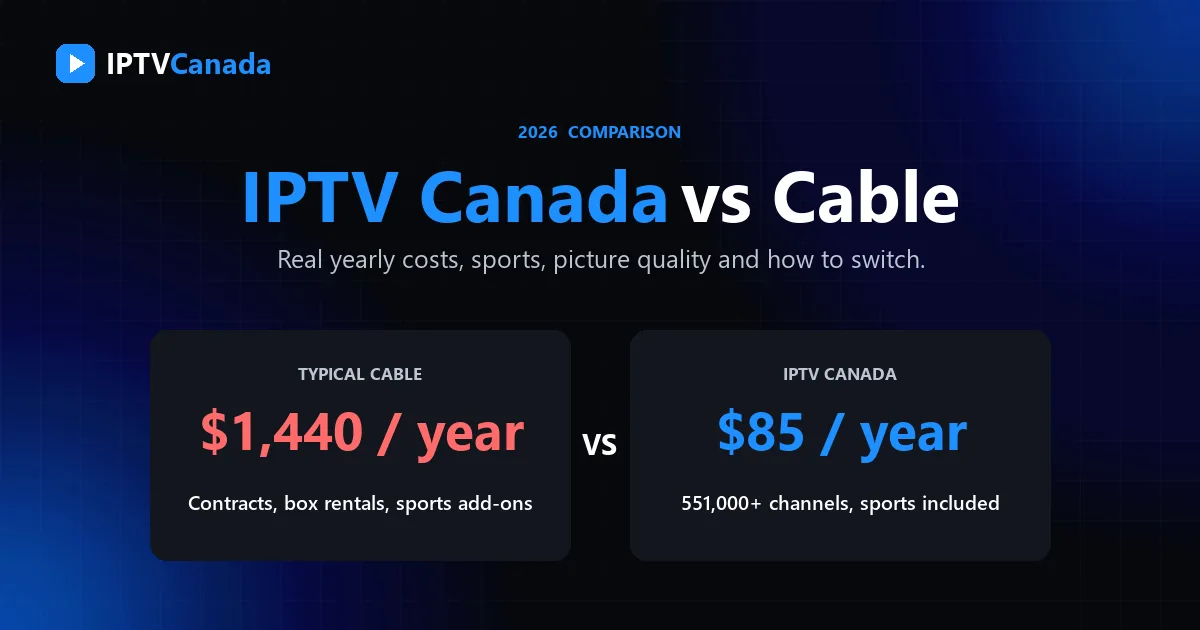
The price gap is huge. Cable packages with sports channels in Canada often run CAD 111 to 209 a month. Quality IPTV services typically cost about CAD 20 to 70 a month — savings of 70 to 80%.
IPTV is also more flexible. Cable is tied to one address; IPTV just needs an internet connection, so you can watch at home, at the cottage or on the road.
And there are no box rental fees, which can add $20 to $25 a month to a cable bill. Use your phone, tablet, Smart TV or a Firestick. Many providers also offer multi-device plans, so the whole family can watch at once.
Fewer Blackout Headaches
Blackouts are one of the most frustrating parts of watching football on cable. Leagues and broadcasters limit which games air in which areas, so fans miss games they’re paying for.
A good IPTV service brings feeds from different regions into one lineup, which makes it much easier to find the game you want — especially if you follow a team outside your local market.
More Games in One Place
With cable or satellite, you’re limited to what your local broadcasters choose to air. Canadian IPTV services typically offer:
- Regular season and playoff coverage
- Out-of-market games
- Special events and preseason matchups
- Reliable, low-latency streams
Many packages also include channels like NFL RedZone, which jumps between every Sunday afternoon game — perfect when several games kick off at once.
Multi-screen features let you watch several games side by side. Great for fantasy football players and fans who follow more than one team.
And instead of the 200 to 300 channels in a typical cable package, quality IPTV services offer thousands of channels plus a big on-demand library.
Canadian IPTV Providers for NFL Coverage
Choosing the right provider makes all the difference. Here are options Canadian football fans often consider.
Disclosure: IPTV Canada is our own service. Prices and features of other providers are as publicly advertised and may change — always check their websites and try a trial first.
1. IPTV Canada
That’s us. You get 551,000+ live channels in HD and 4K, full sports coverage and servers built for big game-day traffic, with 99.9% uptime. Households with several fans can pick a multi-device plan so everyone watches their own game on their own screen.
2. Digiwave IPTV
Offers NFL-focused sports coverage, with over 34,000 channels and 160,000 VOD titles advertised. Plans start around CAD 27.85 a month and include TSN, Sportsnet and dedicated NHL, NFL, NBA and MLS channels, plus anti-buffer technology for prime-time games.
3. Canacast IPTV
Flexible plans from around CAD 27.85, with bigger savings on longer terms. Multi-device options for 2 to 5 screens suit households with different team loyalties, and a trial lets you test before committing.
4. Wave IPTV
Advertises 35,000+ channels and 160,000 VOD titles, with plans from about CAD 27.85 a month to CAD 111.45 a year. Includes PPV and live event channels.
5. VMedia
A licensed Canadian TV provider. Its Premium Flex Sport package includes channels like NFL Network, at around CAD 69.60 a month. It works on devices including Roku.
6. Epicstream
Mentioned by some Canadian sports fans for NFL streaming, though detailed public information is limited. Test carefully before you pay.
7. CanIPTV
Focuses on Canadian viewers with local content alongside international sports. Public details are sparse, so a trial is a must.
What’s Trending
Providers are adding more NFL-friendly features: multi-screen for Sunday slates, better replays and dedicated sports categories.
Should You Use a VPN?
A VPN isn’t required, but it can help in a few situations.
When a VPN Helps
- Privacy: a VPN encrypts your traffic and hides your IP address.
- Throttling: encryption makes it harder for your internet provider to slow down your streams on busy game nights.
- Public Wi-Fi: it protects your logins at hotels and airports.
Some guides also cover using VPNs to change your apparent location for streaming — for example, this overview of VPNs and NFL streaming. Keep in mind this can break the terms of service of some streaming platforms.
Popular VPNs for Streaming
NordVPN is often ranked as a top choice for streaming sports, thanks to fast speeds and a large server network.
Surfshark is great value for families, with unlimited devices on one plan and low prices on longer terms.
How to Use a VPN With Your IPTV App
- Install a trusted VPN app on your streaming device.
- Turn on the kill switch and DNS leak protection.
- Connect to a nearby server for the best speed.
- Check that the VPN is connected.
- Open your IPTV app and start watching.
Buffering? Try another server or protocol, or clear your app cache.
Is Using a VPN Legal?
Using a VPN is legal in Canada. But some streaming services don’t allow VPNs in their terms, and they may block VPN connections or suspend accounts that break their rules.
Watching NFL on IPTV While You Travel
Heading south for the winter or travelling for work? Here’s what to know.
Streaming Rights Are Territorial
NFL streaming rights are sold country by country. Many Canadian services limit viewing outside Canada, and some apps stop working entirely once you cross the border. Some licensed services state that using them outside permitted territories breaks their user agreement.
Travel Tips
- Check your provider’s travel policy before you leave.
- Don’t count on hotel Wi-Fi — it’s often too slow for live sports.
- A local SIM with plenty of 4G/5G data can be more reliable.
- Test your setup before the big game.
Devices for the Road
Pack a small streaming stick that plugs into any HDMI port (check the hotel TV lets you change inputs). Or use your phone’s IPTV app and cast to the TV with AirPlay or Miracast if you’re on the same network.
Make sure your phone can run a Wi-Fi hotspot as a backup. A familiar set-top box is another good option, since it keeps your channel list and settings.
Fixing Common Game-Day Problems
Nothing ruins Sunday like a glitchy stream. Most problems have quick fixes.
Buffering and Lag
You need at least 15 Mbps for smooth live streaming. Then:
- Restart your router and streaming device
- Close apps running in the background
- Use Ethernet instead of Wi-Fi
- Try a VPN if your provider throttles streaming
Remember: if the provider’s servers are overloaded during a big game, you’ll buffer no matter how fast your internet is. More fixes in our buffering guide.
Missing Channels or Guide Errors
Check that your plan includes the channel. Clearing the app cache often fixes TV guide (EPG) glitches caused by outdated data.
Audio Out of Sync
- Restart your streaming device
- Check your audio settings
- Try a different player, like TiviMate or IPTV Smarters
When to Contact Support
If the quick fixes don’t work, message your provider. Good ones answer quickly by email or chat — especially on game day.
The Bottom Line
Watching the NFL in Canada doesn’t have to cost a fortune. IPTV brings the games together in one place for far less than cable, with fewer blackout headaches and more ways to watch.
Families with different favourite teams can use multi-device plans so everyone watches their own game — see our multi-device plans for options that fit your household.
Key Takeaways
- Save 70–80%: IPTV typically costs far less than cable with sports channels.
- Fewer blackout headaches: feeds from different regions in one lineup.
- More games: regular season, playoffs and out-of-market matchups.
- VPNs are optional: useful for privacy and throttling — but check streaming services’ terms.
- Multi-device plans: the whole house can watch at once.
FAQs
What are the benefits of Canadian IPTV for NFL fans?
Lower prices than cable, most of the channels you need in one place, fewer blackout frustrations and the flexibility to watch on several devices.
How much does IPTV for NFL cost in Canada?
Prices vary by provider and plan length, but IPTV is usually far cheaper than cable packages with sports, which can top $100 a month.
Can I watch NFL on Canadian IPTV while travelling abroad?
It depends on your provider. Some work anywhere with internet; others restrict viewing outside Canada. Check the travel policy before you go.
What should I do if the game keeps buffering?
Restart your router and device, close background apps, switch to Ethernet and consider a VPN if your provider throttles streaming. If it continues, contact support.
Do I need a VPN to watch NFL on IPTV?
No. A VPN can add privacy and help with throttling, but it isn’t required. If you use one with other streaming services, check their terms first.