An IPTV box is your ticket to live TV, movies and sports without a cable contract. It sits between your TV and your streaming service, turning an internet connection into a full TV experience — no technician, no rental fees.
But which one should you buy? It depends on your budget, how much storage you need, how you like to watch and how much performance you want. Below we compare eight popular picks, from the IPTV-focused Formuler Z11 Pro Max to the Alexa-powered Fire TV Cube, so you can find the right box for your home.
Prices are approximate in CAD at the time of writing and change often.
What Is an IPTV Box, and How Does It Work?
An IPTV box is a translator. It receives video from the internet and turns it into something your TV can display. Plug it into your TV’s HDMI port and your home network, and it becomes the bridge between the two.
IPTV vs Cable
Cable sends signals through coaxial wires to your home. IPTV turns TV into data packets that travel over your internet connection. That difference brings some real benefits:
More control. Cable locks you into rigid packages. IPTV lets you pick services that match what you actually watch — often with better HD picture and sound.
Less infrastructure. Cable needs miles of wiring and big equipment. IPTV uses the internet you already have, which keeps costs down.
Freedom from the schedule. Instead of watching whatever’s on, you get:
- On-demand shows and movies
- Pause, rewind and fast-forward on live TV
- Bigger libraries than cable offers
How the Box Connects to Your Service
When you pick a channel from your IPTV provider, your box asks the provider’s server for that stream. The server sends it back and the box decodes it into picture and sound.
A fast, stable connection matters. Many services recommend 50 Mbps for top-quality streaming, especially in 4K.
Boxes range from simple, single-service devices to open platforms that run many apps.
Why Canadians Are Switching
The move to IPTV in Canada has been dramatic. By some industry estimates, IPTV subscriptions reached around 5 million Canadian users in 2023, and IPTV is expected to stay the leading way to deliver pay TV for years.
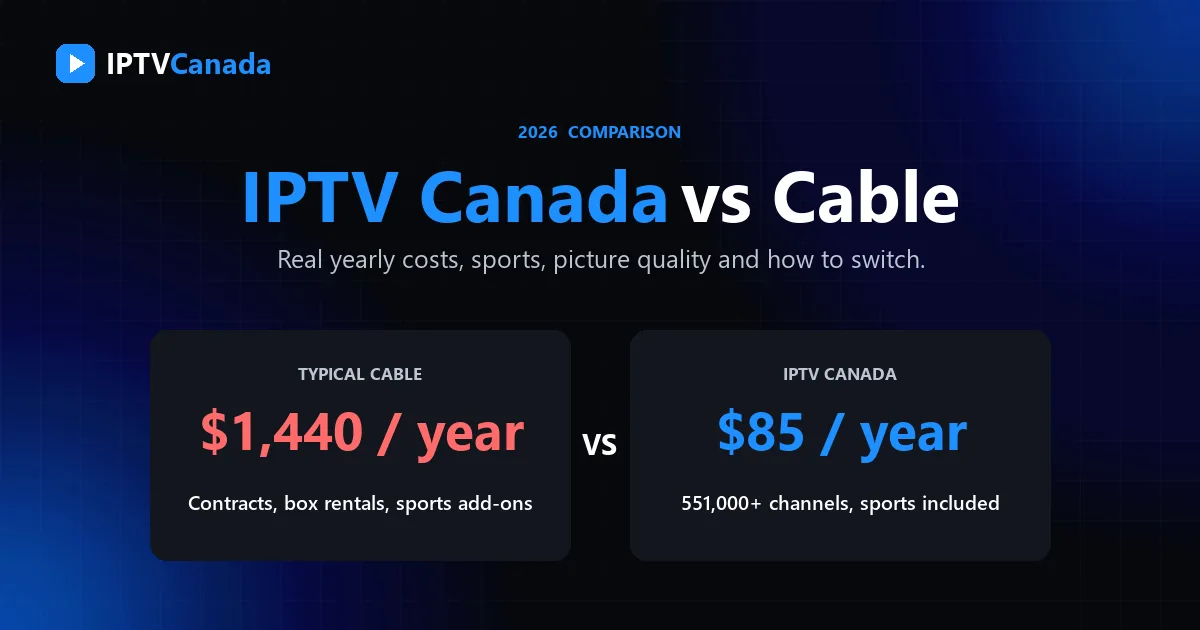
Cost is the big driver: cable comes with hidden fees and long contracts, while IPTV is usually cheaper and more flexible, often with a free trial.
People also love the freedom IPTV brings — watching on several devices at once, on-demand viewing and smarter recommendations.
8 of the Best IPTV Boxes for Canada
1. Formuler Z11 Pro Max
A premium pick for serious IPTV users. It runs Android 11 on a Realtek RTD1319C processor with 4 GB of RAM. The star feature is the built-in MyTVOnline3 app, designed for IPTV with easy channel management.
You get 32 GB of storage for apps. Recording works with external or network storage. The Bluetooth voice remote makes getting around easy.
One catch: it can sideload apps like Kodi, but it isn’t certified for HD Netflix. At about CAD 293, it’s an investment that pays off in performance.
2. BuzzTV Gen 5
Great value from about CAD 125. These Android 11 boxes include the BuzzTV 5 app with strong IPTV features, including PVR+ for scheduled recordings and TimeShift to pause and rewind live TV.
The E5 has a quad-core Amlogic processor, 2 GB of RAM and 32 GB of storage; higher-end models go up to 128 GB. All models have dual-band Wi-Fi, and premium versions add Wi-Fi 6 and gigabit Ethernet.
Regular software updates make BuzzTV a solid long-term choice.
3. MECOOL KM2
Strong performance with an Amlogic S905X4 quad-core processor and 4 GB of RAM, at around CAD 110. This Android TV 11 box is Netflix 4K certified — rare among IPTV boxes.
It supports Dolby Vision and Dolby Atmos, AV1 decoding and HDR10+ for a future-proof picture.
With 32 GB of expandable storage, Wi-Fi and gigabit Ethernet, it handles 4K with ease.
4. Fire TV Cube (3rd Gen)
Amazon’s Cube mixes streaming with smart home features, at around CAD 195. A 2.0 GHz octa-core processor and Wi-Fi 6E deliver smooth 4K with Dolby Vision and Dolby Atmos.
Its party trick: a built-in microphone and speaker for hands-free Alexa, even with the TV off. It has 16 GB of storage and supports USB drives.
A button electronically disconnects the microphones for privacy. Some IPTV apps need to be sideloaded, but it’s easy to do.
5. NVIDIA Shield TV Pro
The premium choice at about CAD 279. The Tegra X1+ processor with a 256-core GPU and 3 GB of RAM gives it serious muscle.
Its best feature is AI upscaling, which makes HD look close to 4K. 16 GB of expandable storage and two USB 3.0 ports give you room for drives and recording.
It supports almost every audio format and gets regular updates from NVIDIA. If you want the smoothest possible experience — even with several 4K streams — it’s worth the price.
6. MAG 324
An affordable, focused option at around CAD 111. Instead of Android, it runs a Linux-based system built purely for IPTV, which keeps it stable.
A BCM75839 chipset with a dual-core CPU and 1 GB of RAM handles 1080p reliably, and H.265/HEVC support keeps streams efficient on slower connections.
It has Ethernet, HDMI and composite outputs, so it works with newer and older TVs. The MAG 324w2 adds Wi-Fi.
7. onn. 4K Pro
Walmart’s onn. 4K Pro is excellent value at about CAD 70. This Google TV box has a quad-core processor, 3 GB of RAM and 32 GB of storage — performance that rivals pricier devices.
Nice touches include a remote finder button that makes the lost remote chime, and hands-free Google Assistant. It supports 4K HDR with Dolby Vision and Dolby Atmos.
An Ethernet port and USB port round it out. For budget-minded viewers, it’s a standout.
8. Xiaomi TV Box S (3rd Gen)
Around CAD 98, with an efficient 6 nm quad-core platform and Dolby Vision and Dolby Atmos support.
It supports Wi-Fi 6 for faster wireless speeds with a compatible router, and Google TV gives you personalized recommendations and search across apps.
The Bluetooth remote includes Google Assistant voice control, and setup takes three steps.
How to Choose the Right IPTV Box
Performance
Processing power is everything. Look for strong chipsets (like the Amlogic S928X or Rockchip RK3588) and at least 3 GB of RAM for snappy menus. Underpowered boxes buffer and drop frames at peak times, especially in 4K.
Storage and Recording
Internal storage ranges from 16 to 128 GB — enough for apps and TimeShift. If you record a lot, pick a box with USB storage support. Some models also offer cloud recording.
Interface and Remote
You’ll use it every day, so ease of use matters. Voice search saves you from typing with a remote. Some remotes have shortcut buttons, and some boxes can be controlled from your phone.
Compatibility
Make sure the box works with your service. Formuler boxes have MyTVOnline3 built in; others use apps like TiviMate or IPTV Smarters.
Price vs Value
Boxes run from under $70 to over $250. Cheap boxes may need replacing sooner because of slow hardware or no updates. Premium boxes last longer and add extras like AI upscaling.
IPTV Box vs Android TV Box: What’s the Difference?
What They’re Built For
Dedicated IPTV boxes focus on live TV: low latency and TV guides built for IPTV. Android TV boxes are all-rounders that run IPTV plus all kinds of streaming apps.
Operating System
Dedicated boxes run purpose-built systems — MAG devices, for example, use a Linux-based OS. Android TV boxes run Google’s Android TV with the full Play Store.
Ease of Use
Dedicated boxes are simpler: menus and remotes designed for flipping channels. Android boxes need an app like TiviMate or IPTV Smarters, which is a bit more setup for non-technical users.
Which Is Better in Canada?
Want simple, focused IPTV? Go with a Formuler or MAG. Want IPTV plus Canadian apps like CBC Gem, Crave or DAZN on one device? Pick an Android TV box.
Legal and Privacy Considerations in Canada
Are IPTV Boxes Legal?
Yes — the hardware is completely legal. What matters is the content you watch on it. Licensed services that follow CRTC rules are legitimate; services offering hundreds of premium channels for suspiciously low prices often don’t have the rights to what they stream. Our guide to IPTV and Canadian law explains more.
The Risk of Preloaded Boxes
Boxes sold “preloaded” with modified apps are a security risk. They often run tampered versions of Android with key protections removed. Once they’re on your home network, they can expose your streaming logins, your Google account and other data.
Should You Use a VPN?
A VPN encrypts your traffic, so your internet provider can’t see what you watch and can’t easily throttle your streaming. It also protects you on public Wi-Fi. It’s optional, but useful — see our VPN guide.
Popular VPNs for Streaming
NordVPN is often ranked first for its big server network and speed. Surfshark (unlimited devices), ExpressVPN (very reliable) and CyberGhost (beginner-friendly) are also strong choices. Look for fast speeds, apps for your devices and solid privacy protections.
The Bottom Line
The right IPTV box depends on how you watch and what you want to spend. The Formuler Z11 Pro Max is ideal for dedicated IPTV fans, the NVIDIA Shield TV Pro is the best all-rounder, and the onn. 4K Pro proves you don’t have to overspend.
Prioritize performance to avoid buffering, get enough storage if you record, and pick an interface you’ll enjoy using every day. Then pair your box with a service you’ve vetted — and enjoy TV the modern way.
Key Takeaways
- The box is legal; the content matters. Choose services carefully.
- Specs matter. At least 3 GB of RAM and a strong processor prevent buffering in 4K.
- Dedicated vs Android: Formuler and MAG are simpler; Android boxes do more.
- Budget can be great: the onn. 4K Pro offers 4K HDR, Dolby Vision and Google Assistant for about $70.
- A VPN is a smart add-on for privacy and avoiding throttling.
FAQs
Are IPTV boxes legal in Canada?
Yes, the boxes themselves are legal. Use them with services that have the rights to what they stream.
What should I look for in an IPTV box?
Processing power, storage, an easy interface, compatibility with your service and overall value. Aim for at least 3 GB of RAM and a strong processor for smooth 4K.
How is an IPTV box different from cable?
It streams TV over the internet, giving you more flexibility, on-demand viewing and usually lower costs, with no extra wiring.
Do I need a VPN with an IPTV box?
It’s not required, but it adds privacy, can prevent throttling and protects you on public networks.
IPTV box or Android TV box?
Dedicated IPTV boxes are simpler and built for live TV. Android TV boxes run far more apps but take a little more setup.