Looking for an easy way to watch live TV on your device? You’ve probably come across IPTV Smarters Pro. It’s one of the most popular IPTV players in the world, thanks to a clean interface and support for almost every device.
One thing to know up front: the app is just a player. It doesn’t come with any channels. You connect it to your IPTV service to watch content. Here’s exactly how to download IPTV Smarters and get it running.
What Is IPTV Smarters Pro?
IPTV Smarters Pro is a video player that streams content from your IPTV provider. It’s simpler and more modern than many older apps, and it supports:
- Live TV, movies and series
- Catch-up TV (replay)
- Multi-screen: up to 4 channels at once
How to Install IPTV Smarters Pro on a Firestick
The app isn’t always available in the Amazon Appstore, so the usual way to install it is by sideloading it with the Downloader app.
Step 1: Prepare Your Firestick
- Go to Settings > My Fire TV.
- Select Developer Options. (Don’t see it? Open About and click your Fire TV Stick name 7 times.)
- Turn on Apps from Unknown Sources for Downloader.
Step 2: Download the App
- Open Downloader (free in the Amazon Appstore).
- Enter the download link from the official IPTV Smarters website.
- Click Go and wait for the download to finish.
- Click Install.
How to Log In and Add Your Playlist
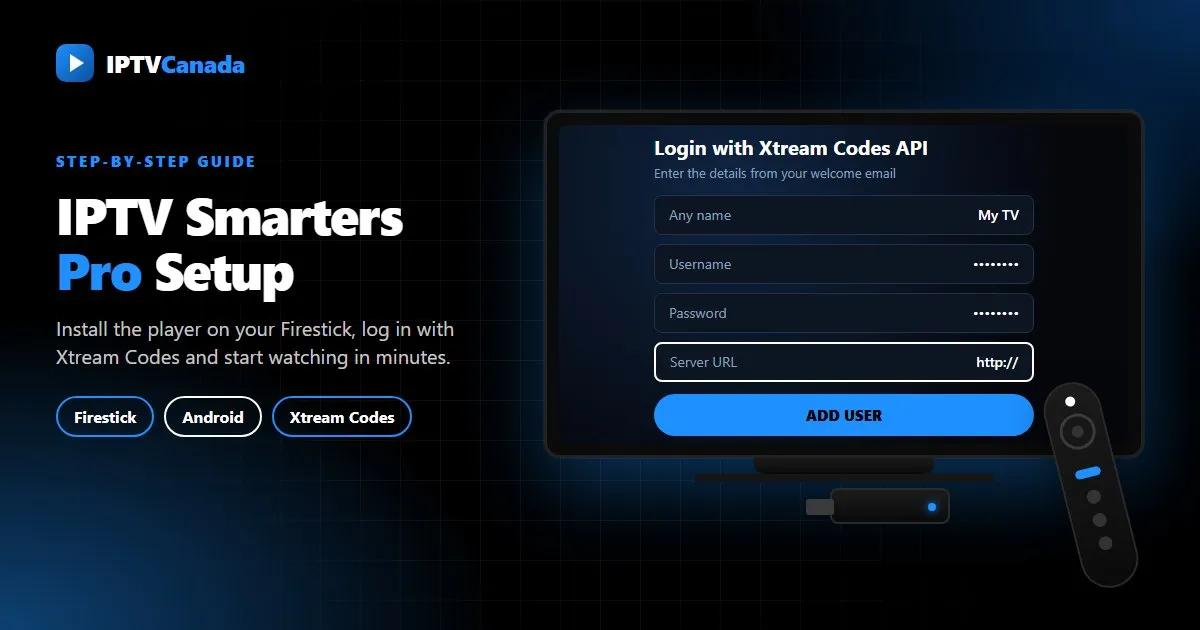
When you first open the player, it asks you to add a user. This is the most important step.
Pick “Login with Xtream Codes API”. It sorts your channels into categories automatically. You’ll need:
- Any name: for example, “My TV”
- Username: from your welcome email
- Password: from your welcome email
- Server URL: from your welcome email
⚠️ Remember: IPTV Smarters Pro has no content of its own. For live sports, movies and Canadian channels, you need a quality subscription.
Need a Great Playlist?
Skip the buffering and the empty channel lists. IPTV Canada works perfectly with Smarters Pro and gives you 551,000+ channels in 4K and HD. 👉 See IPTV Canada plans
Fixing Common Errors
- “Authorization Failed”: usually an expired subscription or a typo in your password. Check both.
- Buffering: if your internet is fast but Smarters still buffers, your provider’s servers may be overloaded. A reliable provider like IPTV Canada solves this.
The Bottom Line
Setting up IPTV Smarters Pro takes about ten minutes, it’s free and it’s easy to use. Just remember: the app is only as good as the service behind it. Pair it with a premium provider and you’re set.