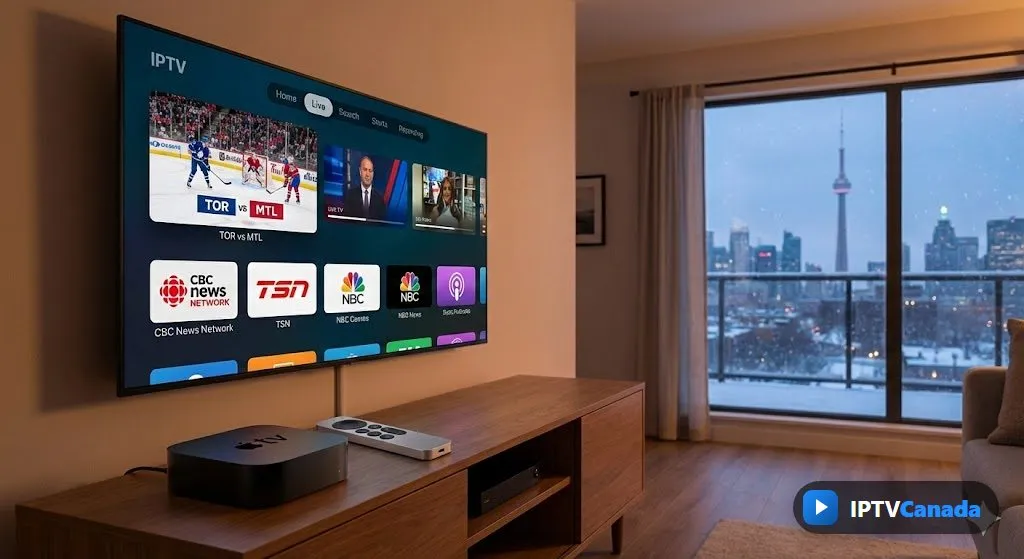
If you’re a Canadian thinking about cutting the cord, you know the feeling: the Bell or Rogers bill keeps climbing, but you still want great picture quality. For people who care about hardware, no streaming box beats the Apple TV 4K. It’s fast, the picture is crisp and the interface is silky smooth.
The catch? Apple keeps a tight grip on what you can install. So a lot of people ask: can you watch IPTV on Apple TV 4K?
Yes — and once it’s set up, it might just be the most stable, best-looking IPTV experience you can get. Here’s how to stream live TV on your Apple TV.
Why Apple TV 4K Is So Good for IPTV
A $50 Firestick does the job. The Apple TV 4K is in another league. It runs on the A15 Bionic chip — the same kind of processor you’ll find in an iPhone.
- Better upscaling: it makes 1080p streams look close to 4K, better than any budget box.
- No lag: menus respond instantly, even when you’re scrolling through thousands of channels.
- Ethernet port: a wired connection keeps live TV stable on Canadian internet.
The Best IPTV Apps for Apple TV
You can’t easily sideload apps on Apple TV the way you can on Android, so you’ll use players from the App Store. The good news: some of them are excellent.
1. IPTVX (the polished one)
Want your IPTV to look like a big-name streaming app? IPTVX pulls in movie posters, episode descriptions and cast info. It’s beautiful and works perfectly with the Apple remote.
2. Snappier IPTV (the power user’s pick)
Supports several playlists and has Multi-View, so you can watch two games at once — handy on a busy Saturday night of hockey.
3. UHF (the fast one)
A newer app that’s quickly winning fans with its clean design and very fast video player. It handles high-bitrate 4K streams with ease.
How to Set Up IPTV on Apple TV (4 Steps)
Typing with the Apple remote is slow, so most apps use an Xtream Codes login or a web dashboard. Here’s how to set up IPTV on Apple TV:
- Download a player: open the App Store on your Apple TV, search for “IPTVX” or “Snappier” and install it.
- Choose how to log in: open the app, tap “Add Playlist” and pick Xtream Codes API — it’s the most stable option.
- Enter your details: type in the server URL, username and password from your IPTV Canada welcome email.
- Pro tip: use the Remote feature on your iPhone to type with your phone’s keyboard. Much faster.
- Sync and watch: tap “Connect”. The app downloads your channels and TV guide (EPG), and you’re ready to stream live TV.
Tips for Smooth Streaming in Canada
The biggest challenge for IPTV on Apple TV 4K in Canada isn’t the device — it’s your internet provider.
Some Canadian ISPs slow down streaming traffic at peak times (around 8 p.m. ET). To keep things smooth:
- Plug in with Ethernet: Wi-Fi is fine, but a cable straight to your router always wins for live TV.
- Change your DNS: switching to Cloudflare (1.1.1.1) in the Apple TV network settings can sometimes fix routing problems and speed up channel changes.
The Bottom Line
Yes, apps like IPTVX usually cost a few dollars. It’s worth it. IPTV on Apple TV 4K is faster, smoother and sharper than cheap Android boxes can manage.
Pair a great TV with a great streaming box, and enjoy your shows the way they’re meant to look.