The puck’s about to drop. Summer’s over, and even if the points don’t count yet, the hits, the saves and the roster battles definitely do.
The NHL preseason is every fan’s first taste of hockey — and it’s famously hard to watch. Preseason games rarely air nationally. They’re scattered across regional sports networks, team websites and local feeds that are often blacked out if you live in the “wrong” area.
That’s where IPTV (Internet Protocol Television) earns its spot on your team.
This guide shows you how to stream live hockey in Canada with IPTV, which channels to look for and how to avoid the usual cable frustrations.
Why IPTV Works So Well for Hockey
The NHL preseason usually runs from late September into early October, with more than 100 games packed into about two weeks.
With cable or a single streaming app, you’ll often hit:
- Regional blackouts: “This game isn’t available in your region.”
- Missing channels: most cable packages don’t carry out-of-market networks like NESN, MSG or FanDuel Sports Network.
- Split-squad confusion: some teams play two preseason games on the same day in different cities, and regular TV guides don’t handle it well.
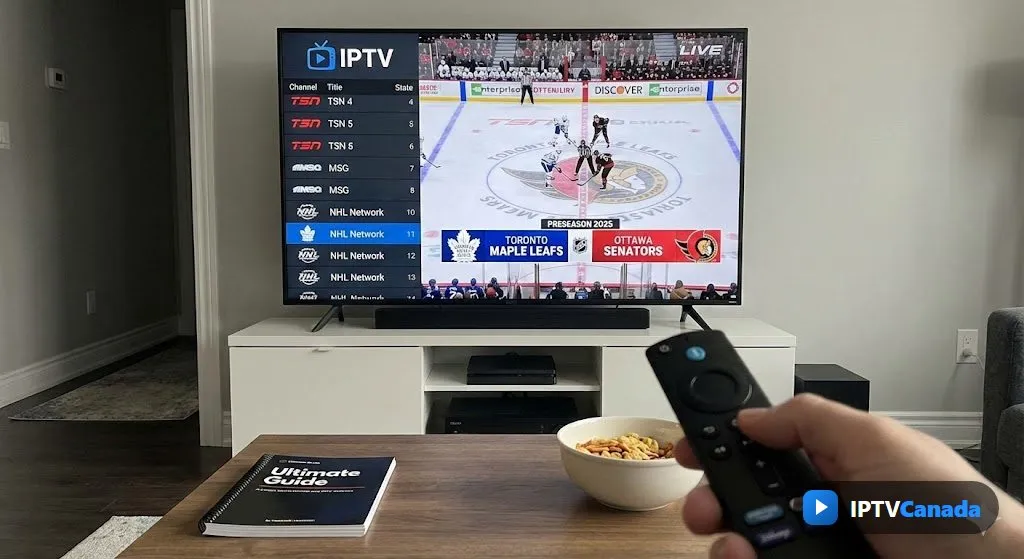
A good IPTV service puts regional and national feeds in one place. Jump from the Maple Leafs on TSN to the Rangers on MSG in seconds.
The Hockey Channel Checklist
To follow hockey properly, make sure your service carries these channels:
1. The Canadian Essentials
- Sportsnet (East, Ontario, West, Pacific): Oilers, Flames, Canucks and Leafs regional games.
- TSN (1 to 5): Senators, Jets, Canadiens (English) and some Leafs games.
- TVA Sports / RDS: French-language Canadiens coverage.
2. US Regional Networks
This is where most preseason games air:
- FanDuel Sports Network (formerly Bally Sports): Red Wings, Lightning, Hurricanes, Kings and more.
- MSG Network: Rangers, Islanders, Sabres and Devils.
- NESN: a must for Bruins fans.
- Altitude: Colorado Avalanche games.
- Monumental Sports Network: Washington Capitals.
3. National Networks
- NHL Network: often simulcasts local feeds.
- TNT / TBS: selected marquee matchups.
- Digital-only feeds: some games stream online only, so check your provider’s sports categories.
Key Preseason Dates to Watch For
Check your team’s schedule, but these moments come around every year:
- Opening night: the first puck drop of the new season, usually in late September.
- The big weekend slate: a packed day of games, often with split-squad matchups.
- Neutral-site games: games in non-NHL cities (like Abbotsford or Quebec City) that often have unique broadcast feeds.
- The final tune-ups: the last dress rehearsals before the regular season opens in early October.
How to Set Up IPTV for Hockey
Step 1: Use a proper streaming device. Your Smart TV’s web browser is too slow for live sports. Go with:
- Amazon Firestick 4K Max: the best value.
- NVIDIA Shield TV Pro: the best performance, with AI upscaling that makes 720p look far sharper.
Step 2: Install a player app.
- TiviMate (Android / Firestick): the gold standard. It looks like a cable TV guide, supports Multiview (up to 4 games at once) and is very fast.
- IPTV Smarters Pro: a solid, free, beginner-friendly option.
Step 3: Think about a VPN. Some internet providers slow down streaming during big live events. If your game buffers every few seconds at peak time, a VPN (such as ExpressVPN or NordVPN) encrypts your traffic and can stop that kind of throttling.
Why Is My Game Buffering?
Preseason feeds can look a little rougher than regular-season broadcasts, since arenas use fewer cameras. If the stream itself lags, try this:
- Switch feeds: good providers offer both home and away broadcasts. If the Leafs feed lags, try the Senators feed.
- Change the video player: in TiviMate or Smarters, switch the player from “ExoPlayer” to “VLC” — it often fixes audio sync issues.
- Try the backup channels: look in the “NHL” or sports pass category. A dedicated event channel (like “NHL 04”) is often more stable than the regional one.
Still stuck? Our buffering guide has 7 more fixes.
The Bottom Line
Preseason is the perfect time to dial in your setup. Get it right now, and by the time the games really count, you’ll have a reliable, buffer-free way to watch every goal, save and overtime winner.
Charge up the Firestick, install TiviMate and enjoy hockey season!